
Below are widely recommended services for P2P/torrent use, based on common evaluation points such as P2P server availability, security features (kill switch/leak protection), and privacy posture (no-logs claims and audits).
- ExpressVPN — P2P on all servers; strong leak protection and kill switch; privacy features often highlighted include RAM-only servers and an audited no-logs stance; includes router support and port forwarding via router setup in some cases.
- CyberGhost — Includes P2P-optimized servers and automation (“Smart Rules”) for auto-connecting and launching a torrent client; also promotes privacy features like no-logs audits and “NoSpy” servers in Romania.
- Private Internet Access (PIA) — Known for advanced configuration options; supports port forwarding (platform limits may apply); apps are open-source and the no-logs policy is described as independently audited.
- NordVPN — Uses dedicated P2P servers and offers SOCKS5 proxy as an alternative (faster but not encrypted like a VPN); includes threat-blocking features and audited no-logs positioning.
- Surfshark — Emphasizes unlimited device connections; supports P2P and provides ad/malware blocking and privacy features like RAM-only servers and audited no-logs statements in review roundups.
- Proton VPN — P2P supported only on specific servers/locations; highlights audited no-logs stance, open-source apps, and security features like leak protection; port forwarding support is mentioned (platform-specific).
- IPVanish — Often listed for P2P support and SOCKS5 proxy availability; positioned as a practical option for multi-device households in some comparisons.
VPN comparison table (torrent-focused)
Below is a practical comparison table for the 7 VPNs mentioned earlier, focused on torrent-relevant criteria (P2P policy, port forwarding, kill switch/leak protection, and privacy signals like audits/RAM-only).
| VPN | P2P / Torrenting policy | Kill switch + leak protection | Port forwarding | SOCKS5 proxy | Privacy / trust signals (high level) | Best for |
|---|---|---|---|---|---|---|
| ExpressVPN | P2P allowed on all servers. | Kill switch (Network Lock) + leak protection highlighted. | Not a core “in-app” feature; often done via router setups rather than typical app port-forwarding. | Not a primary feature in common guides. | Audits referenced; RAM-only “TrustedServer” is a key design point. | “Set and forget” torrenting with strong privacy defaults. |
| NordVPN | Uses dedicated P2P servers in guidance/reviews. | Kill switch available; described as preventing leaks on disconnect. | Not commonly marketed as a main feature for consumers. | SOCKS5 is commonly mentioned for torrent setups (not encrypted). | Public statements about repeated independent no-logs assessments (Deloitte). | Fast P2P + optional SOCKS5 workflows. |
| PIA (Private Internet Access) | Commonly listed as P2P-friendly. | Kill switch is a known configurable feature. | Supported (but can be platform/region dependent). | Mentioned as available in reviews/feature lists. | Open-source apps + audited no-logs policy claims. | Power users who want control (and port forwarding). |
| Surfshark | Included in torrent VPN roundups as P2P-capable. | Kill switch and leak protection generally included in top-list evaluations. | Not typically a main advertised feature. | Not a core focus in the referenced roundups. | Often positioned with modern privacy/security posture (review-roundup level). | Many devices + simple everyday use. |
| CyberGhost | P2P-optimized servers are a key selling point in lists. | Leak protection + kill switch commonly included. | Not typically the main reason people choose it for torrents. | Not a core focus in the referenced lists. | Frequently presented as user-friendly; “NoSpy” servers often mentioned in reviews. | Beginners who want “P2P servers” clearly labeled. |
| Proton VPN | P2P supported on specific servers (not all locations). | Strong security positioning and leak protection discussed in roundups. | Mentioned as supported (plan/platform dependent). | Not emphasized in the referenced roundup. | Promotes audited no-logs stance and open-source apps in general positioning. | Privacy-focused users who can choose P2P servers. |
| IPVanish | Commonly listed as supporting P2P. | Kill switch/leak protection generally expected and discussed in roundups. | Not commonly highlighted as a differentiator. | SOCKS5 proxy is often noted as available. | Positioned as a mainstream provider in P2P lists (review-roundup level). | Simple P2P + SOCKS5 option. |
Rules of use (practical + ethical)
- Use a VPN to protect privacy and network security, not to violate copyright laws; downloading copyright-protected content without permission is illegal in many countries even if a VPN is used.
- Follow each provider’s Terms of Service: many VPNs allow P2P but may restrict abusive or illegal behavior, and some features (like port forwarding) may only be available on certain apps/platforms.
- Use torrents responsibly: prefer verified torrents and reputable trackers, because malware distribution is a real risk in torrent ecosystems regardless of VPN use.
Technical requirements for torrenting
- Kill switch + leak protection (DNS/IP/WebRTC/IPv6): These features reduce the chance your real IP leaks to the swarm if the tunnel drops or the system re-routes traffic.
- P2P server policy: Some VPNs support P2P everywhere, while others require specific P2P servers; this affects speeds and the chance of overload.
- Port forwarding (optional): Can improve peer connectivity/seed performance, but it can also increase exposure, so treat it as an advanced setting and enable only when needed.
- SOCKS5 vs VPN: SOCKS5 can be used for higher speeds because it typically doesn’t encrypt traffic, but it’s not a full privacy replacement for a VPN tunnel.
- Protocol choice: Providers may offer WireGuard (commonly fast) or proprietary options like ExpressVPN’s Lightway; in practice, choose the most stable/fast protocol your VPN offers while keeping leak protection enabled.
Legal limitations and compliance notes
In most places, using a VPN itself is legal, but it does not change what is legal to download or distribute; copyright rules still apply.
Some jurisdictions and networks restrict VPN or P2P traffic; a VPN may help with censorship/firewalls, but this can be a legal/compliance issue depending on where the user is located and how the network is governed (school/workplace).
A “no-logs” claim is not the same as immunity: treat provider audits, transparency reporting, and infrastructure design (like RAM-only servers) as risk-reduction, not a guarantee.
User data security (what to protect and how)
Main exposures in torrenting include public IP visibility in swarms, ISP throttling/monitoring, and malicious downloads; a VPN mainly addresses IP/traffic privacy, not file safety.
Prefer VPNs that emphasize audited no-logs policies, RAM-only server design, and strong leak protections, because these reduce how much data can exist to be disclosed or stolen.
Add local defenses: antivirus scanning, downloading from reputable sources, and avoiding suspicious executables reduce malware risk that a VPN alone cannot eliminate.
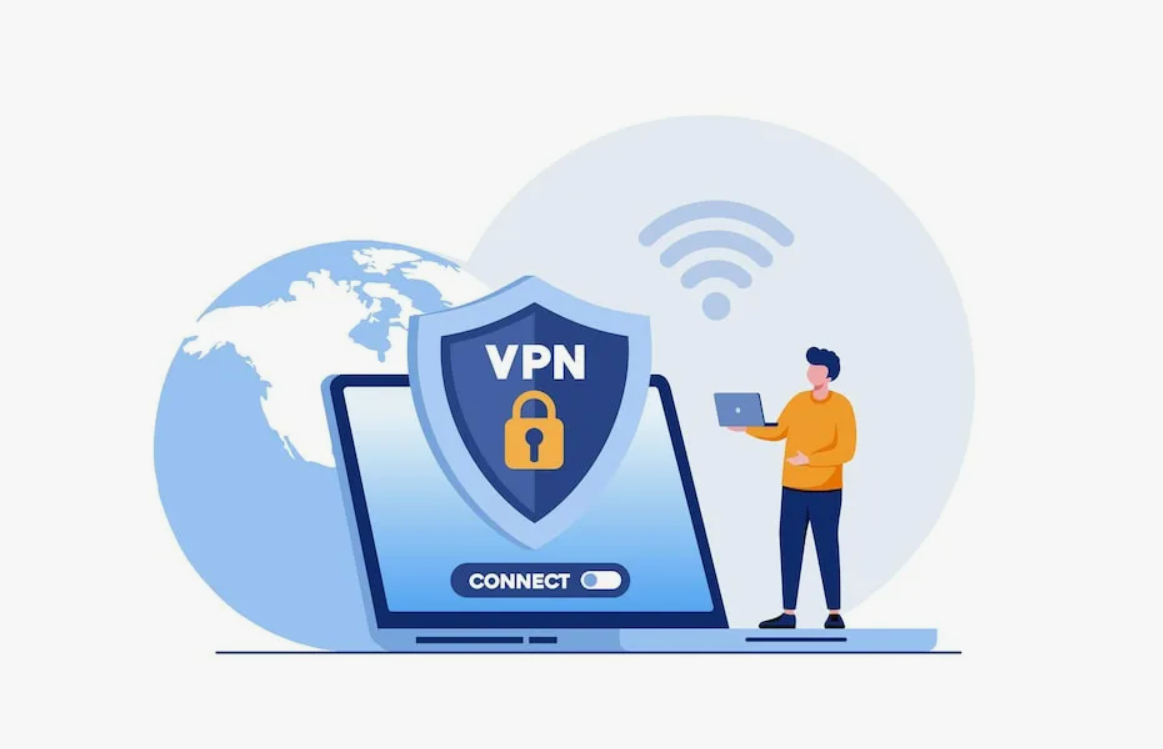
How to use a VPN for torrents (step-by-step)
- Install a reputable VPN app and sign in.
- Enable kill switch + DNS/IP leak protection (and IPv6/WebRTC protection if offered).
- Connect to a nearby P2P-allowed server (or a P2P-optimized server list if the VPN separates them).
- (Recommended) Bind your torrent client to the VPN network interface and/or use split tunneling so only the torrent app uses the VPN.
- Start torrenting, and periodically verify there are no IP/DNS leaks.