- Plan term (monthly/annual), renewal price, and whether auto‑renew is enabled by default.
- Device limits and router support (important if you want whole-home coverage).
- Add-ons you might need: dedicated IP, multi-hop, obfuscation/stealth, ad/tracker blocking.
Payment methods and trade-offs
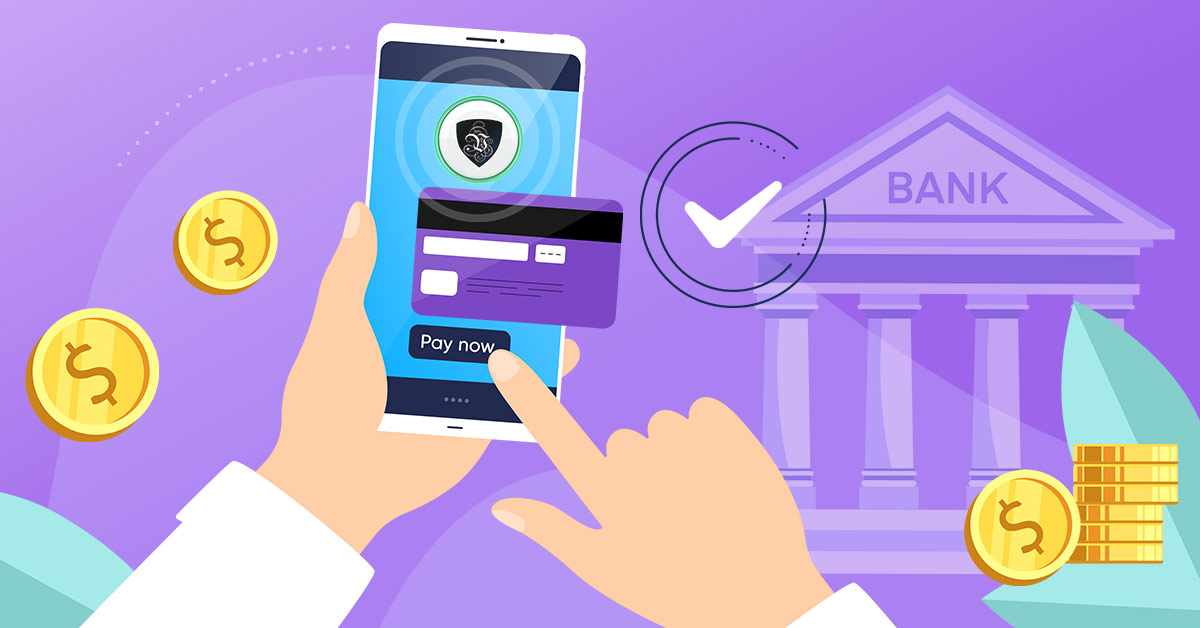
Different payment options change (1) how much personal data is exposed, (2) your ability to dispute charges, and (3) how easy setup is.Credit/debit card
Cards are the simplest and typically offer the best dispute and chargeback mechanisms, but they create a clear billing record that links you to the purchase. General online payment guidance commonly ranks cards as well-protected, while emphasizing different trade-offs for other methods. Use cards when:- You want straightforward refunds and easy renewals.
- You are okay with a billing trail to a VPN company name/merchant descriptor.
PayPal and similar wallets
Wallets are convenient and can limit what the merchant sees (often they don’t get your full card number), but your payment is still identity-linked through the wallet account. A provider may explicitly include PayPal under its money‑back guarantee eligibility (Proton VPN does).Apple Pay / Google Pay
These are convenient and can reduce exposure of raw card details to the merchant, but the subscription is tied to your platform account and the store’s rules. Also, some VPNs treat in‑app purchases differently for refunds (for example, some providers exclude in‑app purchases from their own guarantee).Cryptocurrency
Crypto can reduce direct linkage to your name and billing address, but it often complicates refunds and may be partially non-refundable due to network fees (one VPN refund policy example explicitly notes unavoidable blockchain fees and incomplete crypto refunds). Some providers still include Bitcoin under their money-back eligibility (Proton VPN does). Practical crypto cautions:- Double-check chain/network (e.g., USDT on TRC-20 vs ERC-20) before sending.
- Expect volatile exchange rates and irreversible transfers.
Gift cards / prepaid cards / resellers
Gift cards and prepaid cards can be more privacy-preserving than a personal card, but add scam risk and may reduce refund reliability depending on the provider’s rules. A VPN vendor blog on buying anonymously highlights that “anonymous” methods can involve extra steps, fees/restrictions, and refund limitations depending on policy.
Refunds, disputes, and proof of purchase
Refund eligibility can depend on how you paid, and some methods may be excluded (Proton VPN excludes cash/bank transfer from its 30-day guarantee while allowing card/PayPal/Bitcoin). Some providers explicitly treat in‑app purchases as not covered by their own guarantee and handle them under the app store’s process. Best practices:- Save the invoice/receipt, order ID, and the email used for the account.
- If you pay with crypto, keep transaction IDs and screenshots if required by policy (some providers request proof for crypto-related cases).
Rules of use (what to avoid)
A VPN does not make illegal activity legal, and it does not guarantee anonymity if the provider logs or if your device/account identity is exposed elsewhere. In Russia, reporting indicates increased restrictions and enforcement pressure on VPN services and related activities, including claims that Roskomnadzor restricted access to hundreds of VPN services and that VPNs may be required to block prohibited sites to avoid being restricted themselves. Common VPN terms of service (varies by provider) typically prohibit:- Fraud, harassment, or unauthorized access attempts.
- Malware distribution and botnet activity.
- Activities that violate third-party rights or local laws.
- Check corporate policy, required jurisdictions, logging/audit demands, and whether split tunneling is allowed.
Technical limitations you must plan for
Even after you pay, performance and reliability depend on your network conditions and how restrictive your environment is. Key technical constraints:- Protocol blocking and filtering can prevent certain VPN protocols from connecting; one Russia-focused report claimed increased blocking of additional protocols (including SOCKS5, VLESS, and L2TP) since late 2026.
- Streaming access is not guaranteed; services actively block known VPN IP ranges (providers may rotate IPs but can’t promise permanence).
- Banking and government sites may trigger risk checks on VPN IPs; you may need split tunneling or to temporarily disconnect.
- Kill switch to prevent exposure if the tunnel drops; general VPN security guidance emphasizes enabling kill switch because connection drops can reveal your real IP.
- DNS leak protection and “use VPN DNS” settings where available.
- Prefer modern protocols like WireGuard/OpenVPN (availability varies; many reputable services offer them, and privacy-focused communities commonly reference their use).
Legal and regulatory constraints (especially relevant in Russia)
VPN legality and enforcement vary, and the risk is not only “using a VPN,” but also what you access and how authorities define prohibited behavior. Reporting on Russian legal developments describes proposed/advanced penalties related to accessing restricted resources and even fines for searching/ accessing “extremist materials,” including via tools used to access restricted networks. Additionally, reporting on Russia indicates an advertising restriction: promotion of VPNs that bypass blocks has been described as banned, with fines for violations (individuals and organizations) noted in coverage of amendments. Treat this as a compliance constraint for publishers/marketers: even if users can technically buy a VPN, promotion and distribution messaging may carry legal risk. If your website targets users in Russia:- Be careful with calls-to-action and marketing language around bypassing blocks, because reporting indicates ad restrictions and enforcement.
- Keep legal language conservative: discuss privacy/security use-cases and general information, not instructions to access prohibited content.
Protecting user data (privacy and account security)
Your payment choice is only one part of your data exposure; account setup and device configuration matter just as much. Data safety checklist:- Use a dedicated email alias for the VPN account (reduces linkage across services).
- Enable 2FA if the provider supports it.
- Use unique passwords (password manager recommended).
- Download apps only from official sources (official site or verified app store listing).
Where Homie VPN fits
Homie VPN is a free Chrome browser proxy, not a system-wide VPN. It is useful when you want to change browser IP by country, unblock selected websites, or route only chosen sites through a proxy.
If you need device-wide routing for every app, use a dedicated VPN app alongside or instead of Homie. If browser-only routing is enough, Homie keeps setup simple: no signup and no credit card.